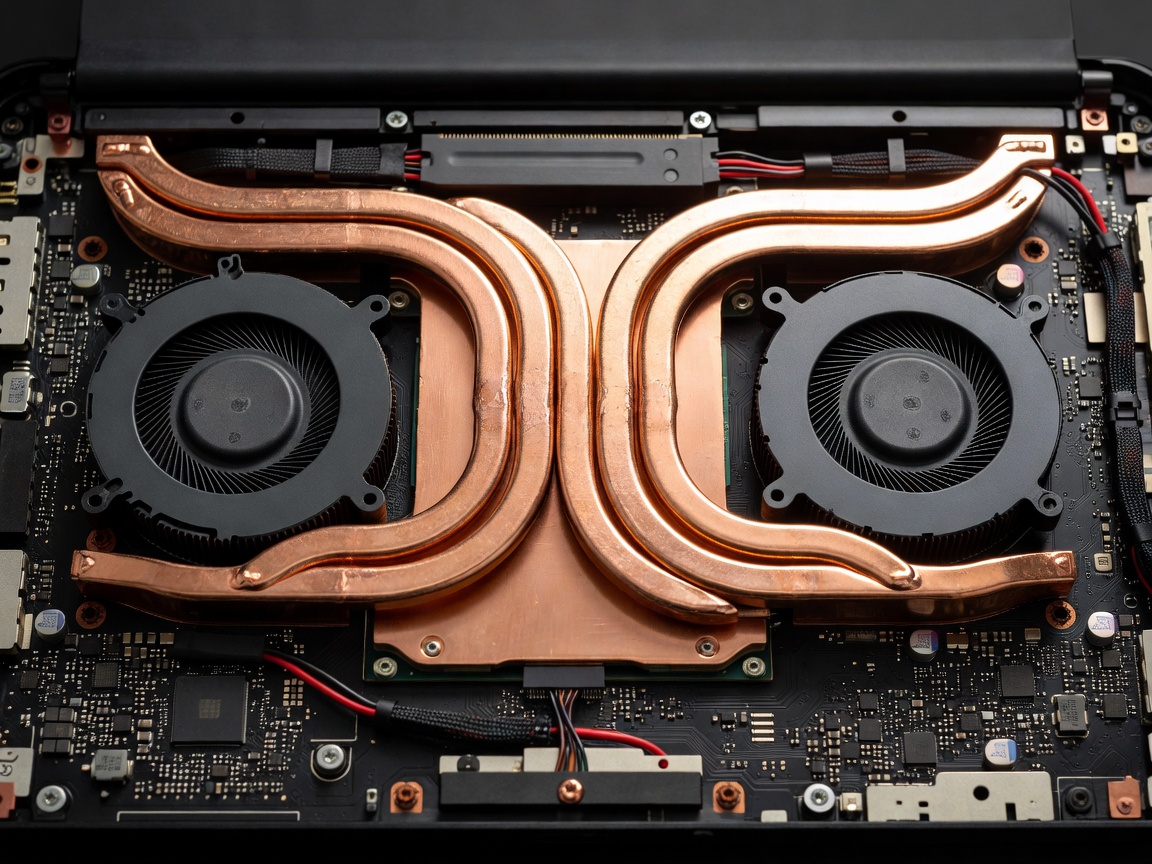
A gaming laptop is essentially a thermodynamic puzzle: dissipating upwards of 200 to 250 Watts of combined heat from silicon packages smaller than a postage stamp, all within an enclosure measuring less than one inch in thickness. When cooling fails, thermal throttling acts as an immediate safety brake, dropping clock frequencies and introducing severe frame pacing inconsistencies.
Traditional Copper Heat Pipes vs. Full-Coverage Vapor Chambers
In mid-range designs, manufacturers rout sintered copper heat pipes containing small amounts of distilled water. Under load, heat vaporizes the fluid at the hot plate, moving it toward fin stacks where dual centrifugal fans cool the vapor back into liquid form to return via internal capillary wicks.
Enthusiast platforms replace individual heat pipes with expansive planar vapor chambers. These chambers distribute thermal energy across two dimensions rather than along narrow tubular lines, vastly improving heat dissipation across motherboard power stages (VRMs), dedicated video RAM chips, and the primary processor dies.
Thermal Interface Materials (TIM): Liquid Metal vs. Phase-Change Pastes
The boundary layer between the bare silicon die and the cooling plate presents the highest single resistance barrier to thermal transfer:
- Liquid Metal (Gallium-Indium alloys): Offers thermal conductivity ratings far exceeding standard ceramic or metallic pastes (often reaching 70+ W/mK compared to 5–10 W/mK). This typically yields an 8°C to 12°C core temperature reduction under identical fan speeds. However, because liquid metal is electrically conductive, manufacturers must seal the die perimeter with precision barrier gaskets to prevent internal short circuits.
- Phase-Change Thermal Pads: Modern solid-state phase pads transition into a malleable, micro-gap-filling state as operating temperatures exceed 45°C. They eliminate the risk of die corrosion and paste pump-out over multi-year ownership cycles while offering near-liquid-metal thermal efficiency.
Fan Acoustics and Chassis Resonances
High thermal dissipation demands significant airflow, frequently requiring miniature impeller fans to spin between 4,500 and 6,000 RPM. Buyers must weigh the acoustic experience against peak thermal benchmarks:
| Acoustic Operating Profile | Sound Pressure Level | Chassis Thermal Surface Temp | Performance Impact |
|---|---|---|---|
| Silent / Quiet Mode | 35 – 39 dBA | Warm to Touch (45°C – 50°C deck) | 25% – 35% reduction in sustained graphics wattage |
| Balanced / Standard Mode | 42 – 47 dBA | Controlled (38°C – 43°C deck) | 5% – 10% below peak potential; moderate fan noise |
| Turbo / Overclock Mode | 52 – 58 dBA | Cool palm rests; hot exhaust perimeter | Full 175W+ silicon operation; headphone use required |
Intake Clearance and Base Elevation
A laptop resting flat on a soft surface can suffer a 40% reduction in air induction volume. Elevating the chassis rear feet by just 15 millimeters often lowers internal temperatures by 3°C to 6°C, providing free thermal headroom without increasing acoustic fan output. When comparing chassis styles, look for bottom intake grilles featuring integrated rubber lift strips and rear-angled exhaust vents.